
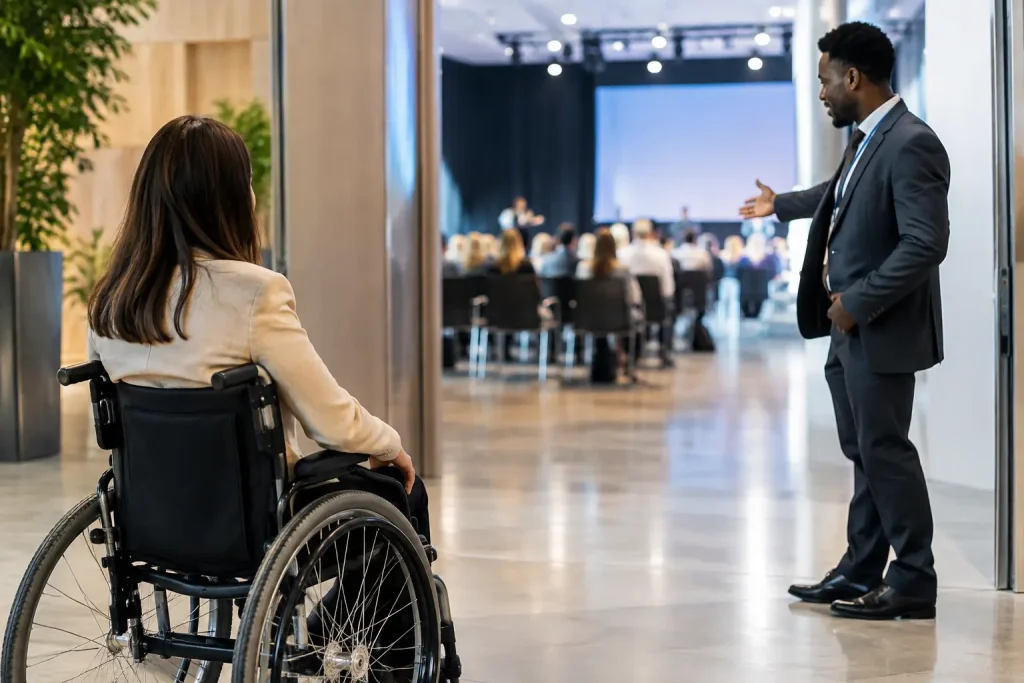
A delegate should not have to become a detective to work out whether they can enter the venue, hear the keynote, use the toilets or get lunch. Yet accessibility information is still often treated as a late addition to the event website, usually after the registration platform, floor plan and catering order are already signed off.
That is the wrong point to start. This event accessibility planning guide is about treating access as part of event delivery: a practical set of decisions involving the venue, programme, technical production, suppliers, communications and on-site team. Done early, it improves the experience for far more people than those who disclose a specific requirement.
Accessibility starts with the event brief
The first useful question is not, “Do we have accessible access?” It is, “Who could be excluded by the way we are currently planning this event?” That changes the conversation from a single ramp or a wheelchair symbol to the whole delegate journey.
Consider the journey from invitation to departure. Can a potential delegate find clear access information before registering? Is the registration process usable with a screen reader or keyboard? Can they travel from the station or car park to the correct entrance? Once inside, can they register, move between sessions, follow the content, eat, network and leave without needing to negotiate obstacles or repeatedly ask for help?
No two events have identical needs. A technical congress with parallel rooms, poster displays and long days creates different challenges from a one-day board meeting in a hotel. An international audience may need information about local transport, assistance at airports, dietary language and personal support arrangements. The principle remains the same: make access a defined part of the brief, with an owner and a budget line, before the venue contract and production scope become fixed.
Choose a venue by observing the real route
Venue accessibility documents are useful, but they are not enough. They may describe the building correctly while telling you very little about how your particular conference will operate within it.
During a site visit, follow the route as a delegate would. Start at the point of arrival, not at the foyer. Look at dropped kerbs, gradients, surface conditions, distances, lighting and the route from accessible parking or the taxi drop-off. Then look at the entrance that will actually be open at your event time. A perfectly accessible main entrance is of little use if evening delegates are directed through a side door with steps.
Inside, check more than door widths and lifts. Ask where queues will form, where cloakroom furniture will sit, whether temporary branding narrows corridors, and whether registration counters allow a conversation at a suitable height. Look at accessible toilets in relation to the meeting rooms, not merely somewhere on the venue plan. A venue may have appropriate facilities, but a long route through public areas can make a tight conference schedule unnecessarily difficult.
The production plan can alter the answer. Cable runs, stage decks, exhibition shell scheme, drape lines, furniture and temporary seating can all create barriers that were not present during the site visit. This is why accessibility needs to appear in production conversations, not only in delegate services.
Plan the room, not just the seating
A room set is an operational decision. Theatre seating packed tightly to maximise capacity may leave no sensible position for wheelchair users other than at the back or at one end. That is not equivalent participation, particularly where the stage, screens and audience microphones are central to the session.
Build flexibility into the room plan. Provide integrated spaces with clear sightlines, allow room for a companion where needed, and protect the routes to them. Do not assume that a removable chair solves the problem if the row is reached by a narrow aisle or sits behind a temporary cable ramp.
Stage access deserves the same attention. If speakers, award recipients or panellists cannot get onto the stage independently, the event has made an assumption about who belongs at the front. A ramp, lift or platform solution may be needed, depending on stage height, venue constraints and the format. This needs agreeing with the AV and staging supplier early, because retrofitting access after the stage is built is rarely elegant and is often expensive.
For sessions involving questions from the floor, consider how delegates will participate. Fixed aisle microphones can exclude people who cannot reach them or stand comfortably in a queue. Roving microphones, moderated digital questions and trained room hosts can help, but each option has limitations. Digital tools rely on connectivity and device access; roving microphones rely on alert staff. The right approach depends on the audience and should be tested in rehearsal.
Make content accessible in the technical plan
Accessibility is not solely a venue issue. It is also about whether people can understand and use the content.
Captioning, sign language interpretation, hearing support and accessible presentation materials are production requirements, not decorative extras. They affect camera positions, screen layouts, lighting, audio feeds, internet bandwidth, confidence monitors and the running order. If an interpreter is placed in poor light or outside the camera frame for a hybrid audience, the arrangement may exist on paper but fail in practice.
Ask presenters for slides in advance where possible. This gives the team time to check legibility, contrast, font size and whether key information has been placed into charts or images without explanation. It also allows captioning and interpretation teams to prepare for specialist terminology. Conference content is often full of acronyms, product names and names of people or places. Preparation matters.
Avoid relying on colour alone to communicate meaning. A red and green status chart may be clear to its creator and unclear to others. Likewise, reading out a slide word for word is not automatically accessible, but verbally describing important visuals gives delegates who cannot see the screen the information needed to follow the argument.
Ask about requirements without making promises you cannot keep
Registration is the obvious place to invite delegates to share access requirements, but the wording matters. A vague “special requirements” box tends to produce vague information. A more specific, respectful invitation helps people indicate what would enable them to attend and participate.
Do not ask for information simply because the form has a field for it. Collect what is relevant, explain how it will be used and ensure it reaches the people who need to act on it. Health and personal information should not be casually circulated in a production WhatsApp group.
There is also a practical limit to what can be accommodated, especially when a request arrives close to the event or concerns a building with fixed constraints. Be honest, respond promptly, and explore workable alternatives rather than making a broad assurance that the team later cannot deliver. Silence is worse than a clear conversation.
Give suppliers a shared picture
Access often fails in the gaps between suppliers. The venue controls the building, the AV company controls screens and sound, the caterer controls service points, the registration provider controls arrival, and the organiser is left trying to join it all up on the opening morning.
Include relevant access requirements in supplier briefings and ask each supplier what they need to deliver them. The caterer may need a clear route around buffet islands and table heights that work for all guests. The registration contractor may need a lower counter position and a method for supporting delegates without creating a separate, conspicuous queue. The exhibition contractor needs to understand aisle widths, threshold details and the location of accessible routes.
This is not about turning every supplier meeting into a legal seminar. It is about identifying practical dependencies while changes are still straightforward. The same discipline used for fire routes, loading schedules and power distribution applies here.
The event accessibility planning guide is tested on site
A plan is only credible when it survives the build. Before doors open, walk the public areas with the final furniture, signage, cables and staffing arrangement in place. Check that accessible entrances are unlocked, lifts are operating, routes are not being used as storage, and temporary signs point people to the right facilities.
Brief front-of-house staff properly. They do not need to know a delegate’s private circumstances, but they do need to know where facilities are, how to describe routes accurately and when to involve the event manager. Casual phrases such as “just use the other entrance” can conceal a long detour, a locked door or a step.
Have a sensible escalation route for problems. A lift can fail, a seating position may be blocked by late equipment, or a speaker may change their slides at the last minute. The point is not to predict every issue. It is to ensure someone has authority to make a decision and knows whom to call.
Publish useful information before people travel
Clear pre-event information reduces anxiety and last-minute correspondence. It should describe the actual arrival route, available facilities, room locations, transport considerations and the process for requesting support. Photographs can be particularly helpful when they show entrances, reception areas and routes honestly rather than as polished venue marketing.
Be precise about what is confirmed and what needs arranging in advance. If assistance is available only by prior request, say so. If a social event is held off site, assess it separately. A conference can be well planned during the day and still exclude people at the dinner because the restaurant entrance, coach transfer or table layout was never checked.
Good accessibility planning is not a badge to add to an event page. It is the quiet operational work that allows delegates to focus on the programme rather than the obstacles around it. Start early, ask better questions, and keep checking the real journey as the event takes shape. That is usually where the avoidable problems reveal themselves.