
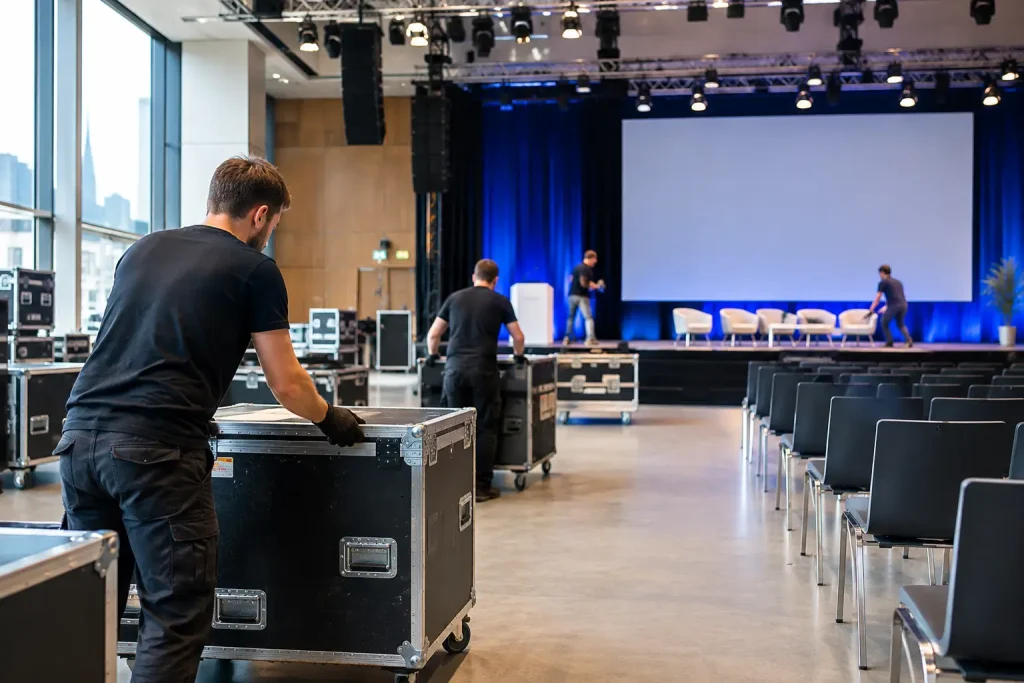
A conference can appear calm at 08:30 while the real test took place the previous afternoon, in a service corridor, freight lift or half-built plenary room. This conference load-in schedule guide is designed to help you control that period properly. A load-in is not simply the time when suppliers arrive. It is the controlled handover from an empty venue to an operational event.
Weak schedules create predictable problems: AV teams waiting for access, exhibition contractors blocking cable runs, branding installed before walls are finished, catering deliveries competing with flight cases, and speakers arriving before the stage is safe to use. The consequence is not merely stress. It can mean paid crew standing idle, rushed safety decisions, compromised rehearsals and an opening session that starts with avoidable risk.
My practical approach is simple: build the schedule around dependencies, not optimism. Every task should happen when the space, people and information required to complete it are genuinely available.
Start with the venue access reality
Before writing timings, establish what the venue has actually sold you. “Access from 08:00” can mean a great deal of difference in practice. Does it mean your event manager may enter at 08:00, or that lorries may report to the loading bay? Are the rooms cleared of the previous event? Are lifts available, floors protected and venue security briefed? Can your production team begin rigging, or is a venue technician required before any work starts?
Ask for the operational details in writing. Confirm the loading bay dimensions, vehicle booking system, height restrictions, delivery routes, lift capacities, storage rules and the route from dock to room. In many European city-centre venues, the problem is not distance but the final 30 metres: a narrow door, a public corridor, a shared goods lift or a time-controlled service entrance.
Also establish the venue’s rules on noise, work after hours, drilling, tape, rigging and electrical connections. These restrictions may turn what appears to be a one-day installation into a two-day requirement. If a venue permits noisy build only until 18:00, your scenic contractor cannot simply continue the next morning while a breakfast meeting takes place next door.
Build the conference load-in schedule backwards
The fixed point is not the first delegate arrival. It is the point at which the whole event must be tested and signed off. For a plenary conference, this is normally a technical rehearsal with presentations loaded, microphones checked, lighting focused, walk-on music cued and confidence monitors working.
Work backwards from that point. Allow time for fault-finding, not just for the intended rehearsal. A system that works immediately is welcome; a schedule that assumes it will is fragile.
A useful sequence is: room release and access; venue protection and freight movement; rigging and power distribution; staging, set and screens; sound, lighting and video installation; exhibition and branding; network and registration build; system testing; content loading; rehearsals; final cleaning and handover. Not every conference needs every stage, but the order matters.
For example, AV cannot complete projector alignment if a screen is still being positioned. Registration cannot reliably test badge printing if its network is not live. Speakers should not be called for rehearsal while technicians are still working at height. Put these dependencies on the schedule visibly, rather than keeping them as assumptions in separate supplier plans.
Identify the critical path
The critical path is the chain of tasks that directly determines whether the event can open. If any one of them slips, the opening slips unless you recover time elsewhere.
For a straightforward ballroom conference, the critical path may run from room access to rigging, stage build, AV installation, power-up, signal testing, presentation loading and rehearsal. For a hybrid event, it may also include dedicated internet installation, streaming encoder tests, remote-speaker checks and platform configuration.
Do not confuse a busy task with a critical one. Flower arrangements and furniture placement may be visible, but they rarely prevent the technical rehearsal. A delayed LED wall, unavailable rigging point or late power connection is a different category of issue. Your schedule should make that distinction clear so the project team knows where to focus when time becomes tight.
Give every supplier a real arrival window
A load-in plan fails when it says “all suppliers from 07:00”. The loading bay, lifts and corridors are shared resources. If six vehicles arrive at once, the first may unload efficiently while the remaining crews wait on the road, incur parking costs or miss their allotted access slot.
Create timed arrival windows, with named contacts and vehicle details where the venue requires them. Build in enough separation for unloading and moving freight out of the bay. The right interval depends on the venue, the volume of equipment and whether crews must use lifts. A ground-floor exhibition hall can process arrivals far faster than a fifth-floor meeting suite in a hotel.
There is a trade-off here. Widely spaced slots reduce congestion but can leave a supplier waiting for another trade to finish. Tightly packed slots may save apparent time but create a queue that nobody owns. My preference is to prioritise suppliers on the critical path, then schedule non-critical deliveries around them.
You should also nominate one person to control the dock or service entrance. This is not necessarily the conference manager. It needs to be somebody who can check vehicles in, direct crews, resolve access questions and tell a late supplier where to go without abandoning another operational decision.
Protect the handovers between teams
Most load-in delays occur at the joins between responsibilities. The venue says the room is available, but the previous organiser’s furniture remains. The AV supplier has installed screens, but the agency has not supplied approved holding slides. The registration contractor is ready, but nobody has confirmed the final delegate-data import.
For each major handover, state three things in the schedule: who delivers it, who accepts it and what “complete” means. “Registration ready” should mean more than tables in place. It might mean power live, internet tested, printers connected, badges printed, alphabetic packs checked and a contingency process agreed for walk-ins.
The same discipline applies to the plenary. “AV installed” is not the final handover. Define an operational-ready point: all inputs tested, playback files present, show caller position agreed, presenter clickers labelled, interpreter feeds checked where applicable and emergency lighting conditions understood.
Schedule content and people as carefully as equipment
Technical teams can only test what they have received. A show file, final slide deck or pre-recorded video arriving at midnight may be unavoidable in exceptional circumstances, but it should not be the operating model.
Set content deadlines that match the production timeline. Ask presenters for decks early enough for font checks, video playback tests and formatting. Establish a final cut-off, then define what happens to late changes. In a large session, even a small amendment can affect confidence monitor layouts, interpretation, recordings, streaming graphics and speaker briefing.
Speaker rehearsal slots also need realism. Senior executives may have limited availability, while panel discussions require several people to be present at once. If a full rehearsal is impossible, prioritise the moments with the highest failure risk: walk-ons, remote contributions, video cues, audience Q&A and any session with interpretation.
Add contingency without hiding poor planning
A good schedule contains contingency because live events involve uncertainty. It should not contain vague, unallocated “buffer” because no one has worked out the plan.
Place contingency after critical installations and before rehearsals. Allow more where the project includes custom stage elements, complex networking, multiple languages, hybrid broadcast or unfamiliar suppliers. First use of a venue deserves more protection than a repeat format in a well-known room.
If time is constrained, decide in advance what can be simplified without damaging the delegate experience. Perhaps decorative elements can be completed after the technical rehearsal, or a secondary breakout room can be dressed later. Do not make that decision at the point of crisis, when the loudest voice may win.
Run a final operational walk-through
Before declaring the load-in complete, walk the delegate journey as well as the production areas. Enter from the route guests will use. Check wayfinding, registration sightlines, queue space, cloakroom flow, accessibility routes, room temperatures, charging points and the route to breakouts.
Then inspect the less visible areas: speaker ready room, technician access, storage, cable management, fire exits and backstage communications. A clean-looking foyer does not compensate for an obstructed escape route or a registration team with no working radio channel.
The final schedule should be a live operational document, not a decorative Gantt chart sent a week before the event. Update it when access changes, a delivery slips or a rehearsal moves. Make sure every decision-maker has the current version and knows who has authority to alter it.
A well-planned load-in gives your team something more valuable than extra minutes: it gives them room to think. That is where professional control begins, long before the first delegate sees the stage.