
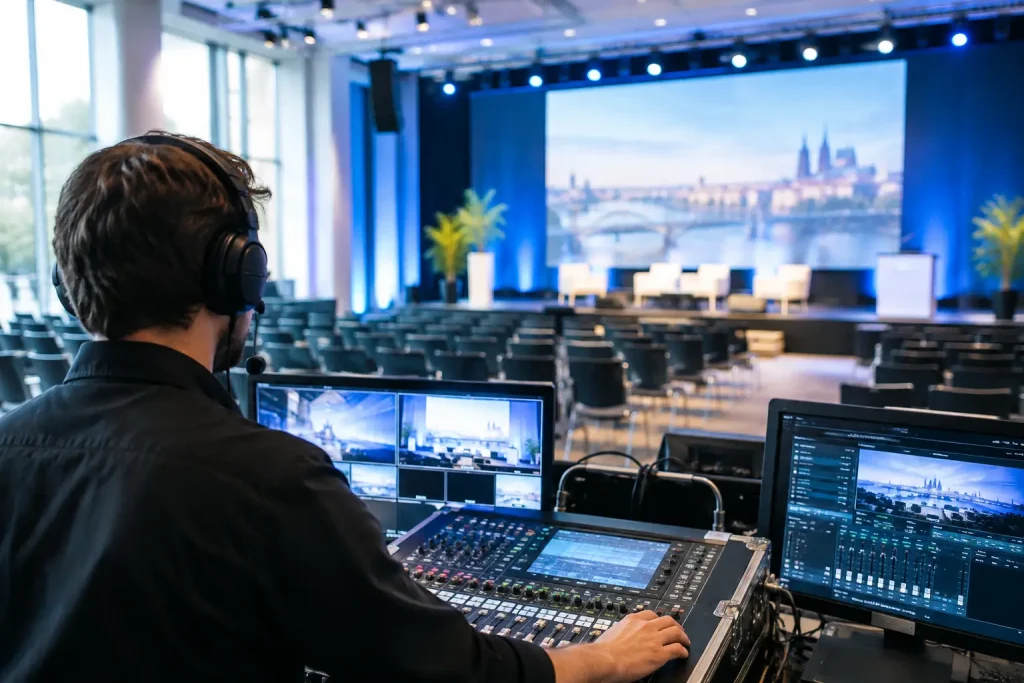
A conference can look perfectly organised on paper and still fail at 08:55 when the first presenter cannot see their slides, the lectern microphone feeds back, or the venue announces that the promised screen is not included. A proper conference AV requirements checklist prevents these avoidable moments by turning vague technical assumptions into confirmed responsibilities.
AV is not simply a line on the budget. It affects what delegates can hear, see, understand and remember. It also affects speaker confidence, sponsor value, accessibility, recording quality and the credibility of the organiser. The aim is not to become a sound engineer. It is to ask the right questions early enough that problems remain inexpensive to fix.
Conference AV requirements checklist: define the event first
Before asking a venue or production supplier for a quote, write a short technical brief. A supplier cannot price accurately from “conference AV required” any more than a caterer can price lunch without knowing the guest numbers and service style.
Start with the event format. Is this a one-day conference with plenary sessions and breakouts? A medical meeting with compliance-sensitive recordings? A leadership meeting where every delegate must participate? A multilingual congress with interpretation? Each creates different requirements.
Confirm the expected delegate numbers in each room, not merely the overall registration total. A 300-person plenary and four 75-person breakouts need a different equipment plan from a 300-person theatre-style meeting. Also consider room turnover. If one room changes from workshops to dinner to an awards presentation, someone must reset furniture, lighting and AV between sessions.
Your initial brief should cover:
- Event dates, access times, show times and breakdown times.
- Room layouts, capacities and a floor plan where available.
- Presentation formats, including panel discussions, videos, demonstrations and audience questions.
- The number of speakers, moderators, remote contributors and languages.
- Requirements for recording, streaming, captioning, voting and delegate interaction.
- Brand elements such as holding slides, walk-in music, logo loops and stage backdrops.
Do not overlook rehearsals. A speaker who arrives five minutes before their session with an unfamiliar laptop, an embedded video and a complicated animation is not a technical plan. Build in speaker preview time, particularly for senior executives, keynote speakers and anyone joining remotely.
Establish what the venue actually provides
Many European venues advertise “full AV” or “state-of-the-art technology”. Those phrases are marketing language, not a specification. Ask for an itemised inventory for every room, including make and model where possible. You need to know what is installed, what is chargeable, what is shared between rooms and what must be hired in.
For the plenary room, confirm the screen size and viewing angle from the back row, projector brightness or LED-wall specification, comfort monitor, lectern, stage dimensions, presentation clicker and timer. A screen that works for a 60-person meeting may be inadequate for 400 delegates in a wide ballroom.
For sound, ask how many loudspeakers are installed and where they are positioned. More importantly, specify microphones by use, rather than simply requesting “microphones”. A lectern microphone, handheld radio microphone, headset and lapel microphone all suit different speakers and room conditions.
A panel of five people requires five live microphones, plus one for the moderator and usually one or two roaming microphones for questions. If the chair is likely to move around, a fixed lectern microphone is the wrong choice. If a speaker has a quiet voice or needs both hands free, a headset may be more reliable than a lapel microphone.
Also establish whether a technician is included. Equipment without an operator is often a false economy. Somebody must manage sound levels, change presentation feeds, troubleshoot laptops, play videos and respond when the unexpected happens.
Check power, rigging and room restrictions
European conference venues vary widely, especially in historic buildings, hotels and converted industrial spaces. Ask where power is available, whether it is included and whether extension leads will cross delegate routes. Cable runs must be safe, tidy and protected. They should not become a trip hazard beside registration or through a fire exit.
If you need lighting truss, flown screens, large branding or an LED wall, ask about rigging points, weight limits, approved contractors and venue rigging charges. Some venues allow only their nominated supplier to work at height or connect equipment to the building infrastructure. This can materially change the budget.
Clarify restrictions on noise levels, haze machines, temporary structures, blackout capability and delivery access. A beautiful glass-walled room can be difficult for projection in daylight. It may need an LED wall, window blackout or a programme designed around daylight conditions.
Plan presentations as a managed process
The most common AV failure is not a broken projector. It is unmanaged content. Different slide formats, unsupported fonts, videos with sound, unusual aspect ratios and last-minute changes can all delay a session.
Set a presentation policy. Ask speakers to submit slides by a stated deadline in 16:9 format unless the room equipment requires otherwise. Request embedded videos separately as backup files. Where possible, run presentations from a single show laptop managed by the AV team rather than switching repeatedly between speaker devices.
This approach gives the technician control and makes transitions cleaner. It also gives you an opportunity to check spelling, branding, video playback and the presence of sensitive information. There are exceptions: a live software demonstration, a specialist application or a speaker who must use their own machine. In those cases, test the device in the actual room, with the actual adaptor and network connection.
Build a speaker-ready area close to the plenary. It does not need to be elaborate, but it should have power, Wi-Fi, a screen for slide checks and a clear process for handing files to the AV team. This is where late changes can be controlled rather than arriving at the lectern.
Treat hybrid and recording as separate productions
A room event with a camera is not automatically a good hybrid event. Remote delegates need purposeful access to slides, sound, chat, questions and session changes. They also need to hear audience questions, which means roaming microphones are essential rather than optional.
For any streamed or recorded session, confirm the camera positions, shot plan, audio feed, platform, internet connection and backup plan. Venue Wi-Fi is frequently sufficient for delegate browsing but unsuitable for a business-critical broadcast. Ask for a dedicated wired connection, its guaranteed upload speed, whether it is shared, and who will support it during the programme.
Recording has its own decisions. Are you recording slides and speaker video, or the full stage? Will recordings be edited? Who owns the files? How will consent, music rights and sponsor content be handled? For pharmaceutical and regulated meetings, involve your compliance colleagues before recording begins, not after clips have been distributed.
If remote speakers are involved, schedule a technical rehearsal from the location they will actually use. Check their microphone, lighting, background, bandwidth and backup contact number. A polished keynote can be undermined by a senior contributor speaking from a noisy hotel lobby on unstable Wi-Fi.
Control the quote and the hidden charges
Compare AV quotations line by line, not by the total at the bottom. One supplier may include technicians, setup time, transport and cable management; another may list only equipment hire. Neither is automatically wrong, but the scope must be comparable.
Ask specifically about labour hours, overtime, evening and weekend rates, crew meals, parking, delivery charges, storage, power distribution, rigging, internet, recording media, contingency equipment and cancellation terms. In some venues, external suppliers face access fees, mandatory security escorts or charges for using house power.
Request a schedule showing when equipment will be loaded in, tested, operated and removed. A low quote based on a rushed same-day setup can create unacceptable risk for a high-profile conference. Where the programme matters, access the room the day before and complete a full technical rehearsal.
Use a final show-call checklist
In the final week, bring the venue, AV supplier, event manager and any streaming partner into one operational call. Work through the programme minute by minute, particularly entrances, videos, walk-on music, panel changes, audience questions and breaks.
Confirm the named on-site contacts, mobile numbers, escalation route and authority to approve additional spend. Check that the final running order matches the technician’s version, the chair’s copy and the registration team’s timings. A changed speaker order that reaches only one person is enough to create a public stumble.
On site, walk every room before delegates arrive. Sit in the back rows. Read the smallest slide text. Listen for noise from air conditioning, catering areas or neighbouring rooms. Test every microphone, every video and every remote link. Then test the backup.
The calmest conference teams are not calm because nothing goes wrong. They are calm because they have already decided who owns each technical detail, what the fallback is, and when to act before delegates notice.
Advertisement
Affiliate link: Discover The Cumberland Hotel — elegant stays at the heart of London.